
You can delete a treatment plan case that is not in Completed status.
Note: To delete a treatment plan case, you need the Manage Treatment Plan case user role permission set. To delete a consented treatment plan, you also need the Delete Approved Treatment Plan case user role permission set.
To delete a treatment plan case
How to get there
-
Use the Patient Search field to access a patient's record.
Notes:
-
If the last patient record you accessed since you last logged on is the correct patient's record, you do not need to re-enter the patient's name in the Patient Search field.
-
You can include inactive patients in the search results by setting the Include inactive patients toggle switch to On.
Important: If the Access Confidential Patient window displays after selecting the patient from the search results, it means the patient is a confidential patient and you don't have the security rights to access their record. To continue, a user with the security rights must enter their credentials into the window. Once given access, you have access to the patient's information until your session expires.
-
-
Complete one of the following:
-
From the Patient Information ribbon, clicktap the Tx Planner link.

-
From the Patient menu, under Clinical, clicktap Treatment Planner.
-
From the Patient menu, under General, clicktap Overview.
The patient's Overview page displays.
ClickTap the Treatment Plan widget.
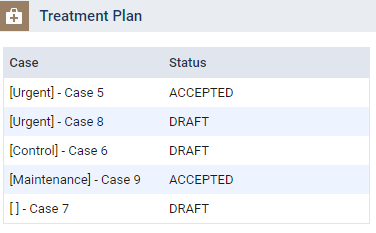
The patient's clinical record displays with the Tx Planner tab selected.
-
-
On theTreatment Planner tab of a patient's clinical record, locate a treatment plan under a category.

-
ClickTap the X icon to display the Delete [name of case] window.
-
(Optional) Enter the reason behind the deletion in the Reason field.
Note: This mandatory field only displays for treatment plan cases that have some form of electronic consent, and is limited to 200 characters.
-
ClickTap one of the following buttons:
-
Delete Case and Procedures - Deletes the treatment plan case and its associated procedure(s).
-
Delete Case, Move Procedures to Unassigned - Deletes the treatment plan case and moves its associated procedure(s) to Unassigned.
The window closes.
Notes:
-
When you delete a consented treatment plan case, the captured consent(s) are also deleted. Also the deletion is recorded on the Audit Log page as a delete, and the reason for the deletion displays in the Details column.
-
When you delete a treatment plan case with a procedure associated with an appointment, the procedure no longer displays on the appointment. If the appointment only had the deleted procedure, the appointment is also deleted.
-
When you delete a treatment plan case with a completed procedure, the completed procedure moves to the Unassigned section of the Completed category.
-
Comments
0 comments
Please sign in to leave a comment.