
It is common to arrange certain types of treatment in specific sequenced visits (such as with a crown or implant), and the process of arranging the procedures for that work into the same visit sequence each time can be time-consuming and repetitive. Now, you can flag a standard multi-code as a treatment plan template; then, you can add visits, add procedures to each visit, and change the order of the procedures in each visit. When you treatment plan that multi-code, the group of procedures are added to patient’s treatment plan by visit in the desired sequence automatically.
To create a treatment plan template
On the Settings menu, select Procedure Codes & Conditions to open the Procedure Codes & Conditions page.
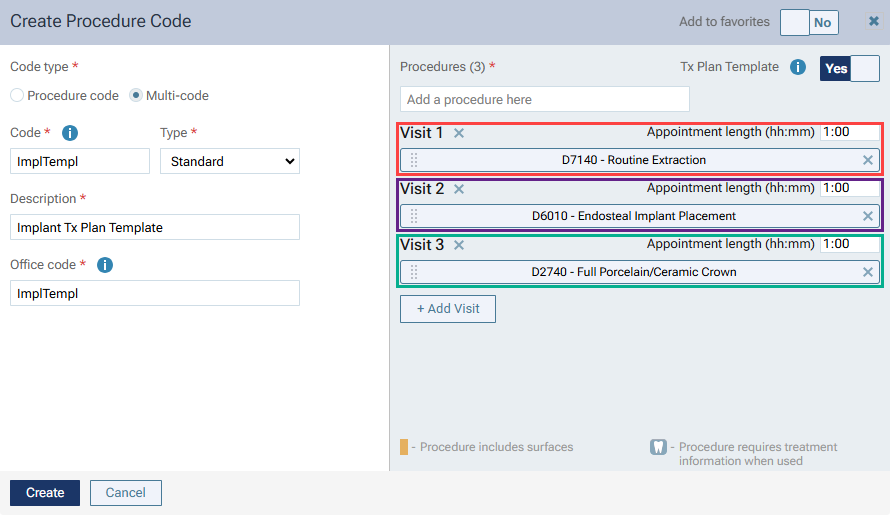
Click Add Procedure Code. The Create Procedure Code dialog box appears.
Under Code type, select Multi-code.
Specify the Code, Type (must be Standard), Description, Office Code, and Category.
Add Procedures as needed.
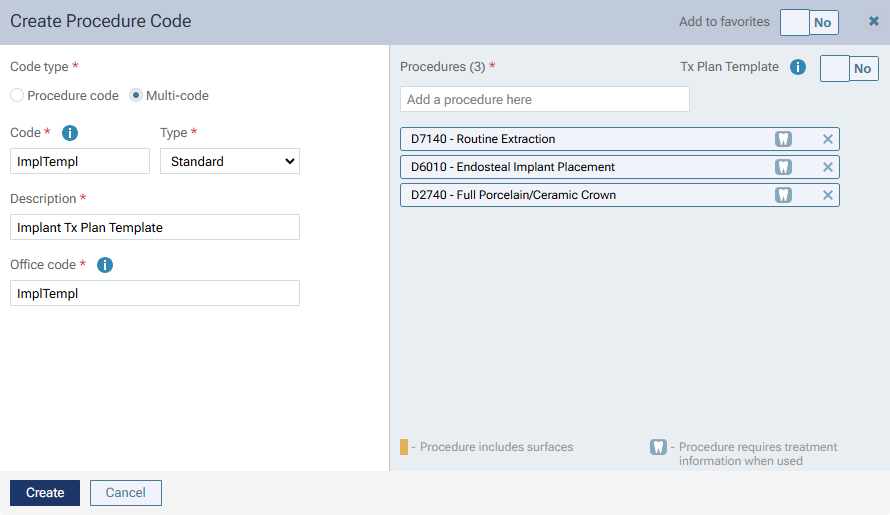
Set the new Tx Plan Template switch to Yes. A visit is added to the template, and all procedures are added to that visit. Also, a default appointment length, which you can change, is associated with that visit.
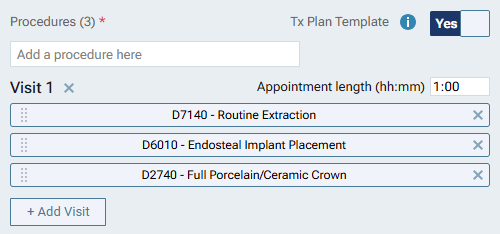
Note: You can reorder the procedures in a visit by dragging them.
To add another visit, click + Add Visit. The visit is empty by default.
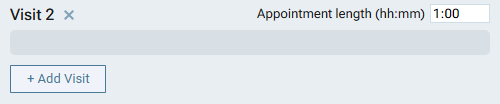
You can add as many visits as needed to the template.
If you save the template with empty visits, those empty visits are removed, and the numbering of the remaining visits is updated accordingly if necessary.
To remove a visit, click the X to the right of the Visit. If you delete a visit that contains procedures, those procedures are removed from the multi-code, and the numbering of the other visits is updated accordingly if necessary.
To move procedures from one visit to another, drag them.
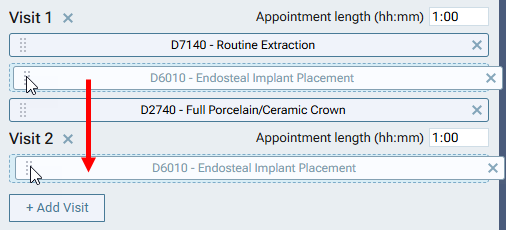
Note: If you add additional procedures to the multi-code, they are added to the first visit by default. You can move those procedures within that visit and to other visits as needed.
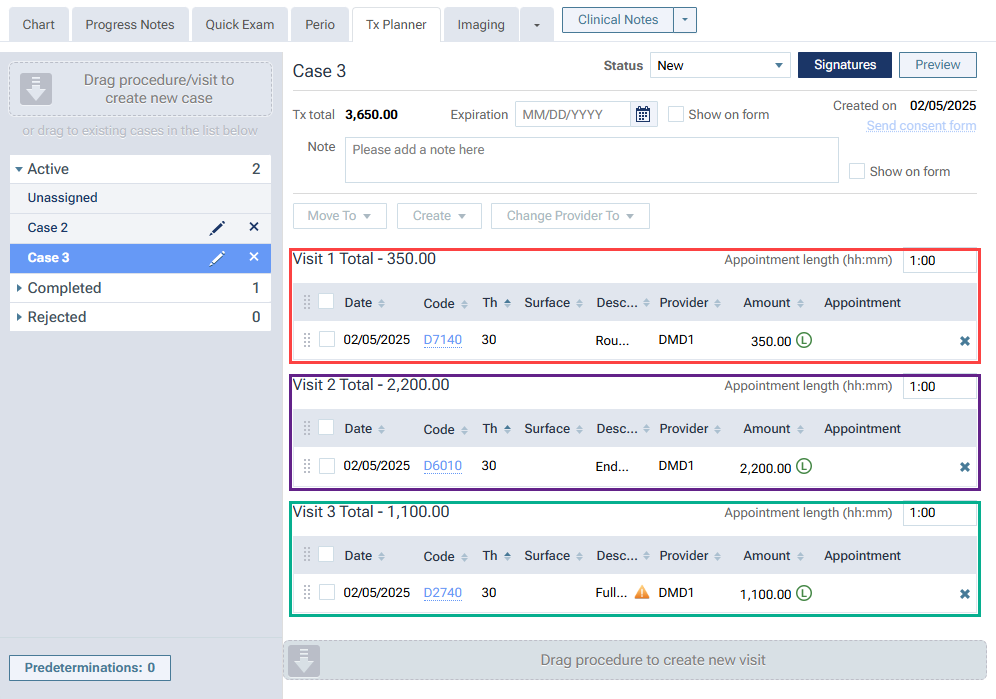
When you create a treatment plan using a multi-code flagged as a template, a new case is added to the patient’s treatment plan. The case is arranged exactly as defined by the template settings for that multi-code.
Comments
0 comments
Please sign in to leave a comment.