
Several new feature enhancements are included in the product update released in late February 2020. The major enhancements in this release include improvements to Treatment Planner and new categories on the Unsigned Clinical Notes widget.
Improvements to Treatment Planner
Several changes have been made to the treatment planner (Patient > Clinical > Treatment Planner):
-
When you create a new treatment plan, the Note field's Show on printout and preview check box is now selected by default.

Now, faculty providers no longer need to take an extra step to select the check box after they enter a note.
Note: If you create a new treatment plan by copying an existing case, and the existing case has the check box deselected, the new case also has the check box deselected by default.
Important: This update only applies to treatment plans created after this release on February 28th.
-
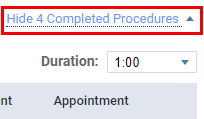
Completed procedures now display by default.
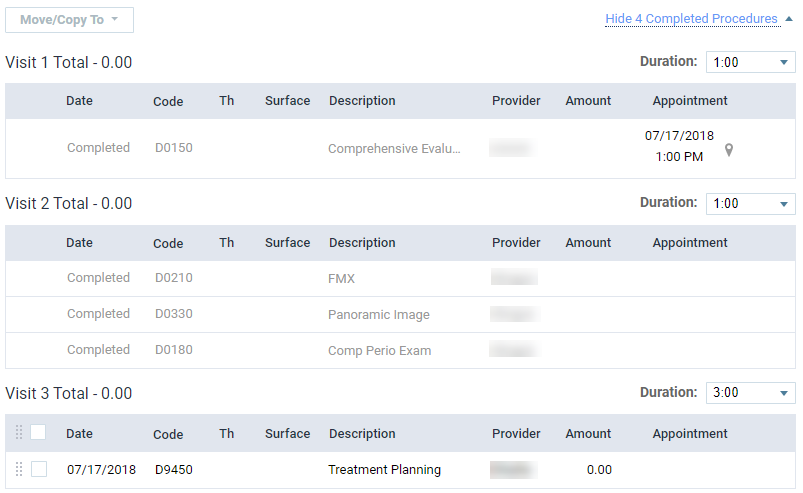
Now, faculty providers can view and track the progress of a patient's treatment plan. To hide the completed procedures, clicktap Hide ____ Completed Procedures.
Now categories on the Unsigned Clinical Notes widget
The Unsigned Clinical Notes widget on the Faculty Dashboard Overview page (Home > Insurance > Reports) has been updated to categorize the total number of unsigned clinical notes in the (new) Ready and Draft categories.
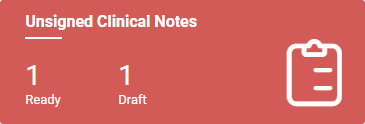
Ready displays the total number of unsigned clinical notes that are set as ready to sign, and Draft displays the total number of notes that are set as not ready to sign.
Users have access to user role permission when they shouldn't
Issue: Users have access to the Review patient prescriptions user role permission when their Review prescription user role permission is not set, resulting in inconsistent behavior.
Solution: Fixed to display consistent behavior by enforcing the presence of the Review prescriptions user role permission when giving users the Review patient prescriptions user role permission.
Deposit Slip Report Previews do not display data properly
Issue: When users preview a Deposit Slip report, the report does not display data properly.
Solution: Fixed so the report displays data properly.
axiUm Ascend displays the wrong page when switched to different location
Issue: Inconsistent page behavior when using faculty dashboard and switching locations.
Solution: Fixed so axiUm Ascend displays the current page for the new location.
Appointment reminders does not perform as expected
Issue: Existing appointment completed reminders does not perform properly.
Solution: Fixed so it will be sent correctly.
Comments
0 comments
Please sign in to leave a comment.