
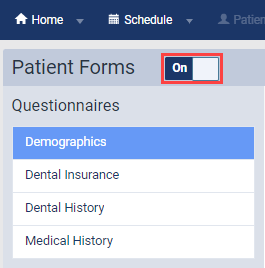
You can activate or deactivate a specific location's Patient Form feature. If activated, patients can open, view, and complete their patient forms. If deactivated, patients can no longer complete their patient forms.
Important: Before you activate the feature, you need to decide the location's list of patient forms by activating and deactivating patient forms accordingly.
To activate or deactivate the Patient Form feature
How to get there
-
From the Settings menu, under Location, select Patient Forms.
The Patient Forms page displays.
Note: If the correct location is not already selected, use the Location menu to select it.
-
On a location's Patient Forms page, set the Patient Forms toggle to On to activate the Patient Form feature. Set the toggle to Off to deactivate the feature.
Comments
0 comments
Please sign in to leave a comment.