
Several new feature enhancements and bug fixes are included in the product update released in early November 2024.
Note: The content in this release will be available in PROD on November 02, 2024.
The major enhancements in this release include the following:
-
General
Several bug fixes are also included in this release.
Reporting
New Emergency Contact fields in Power Reports
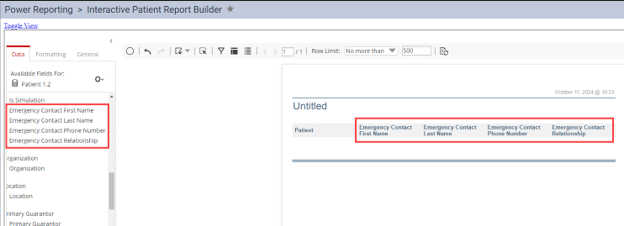
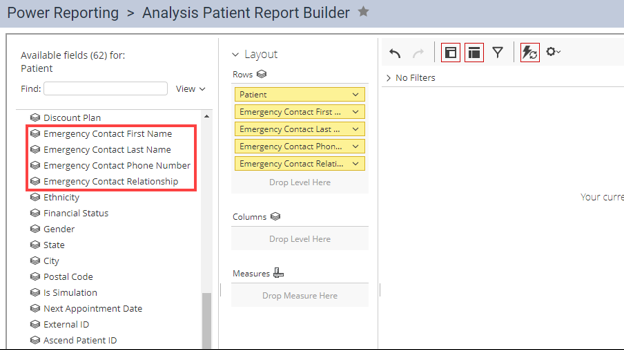
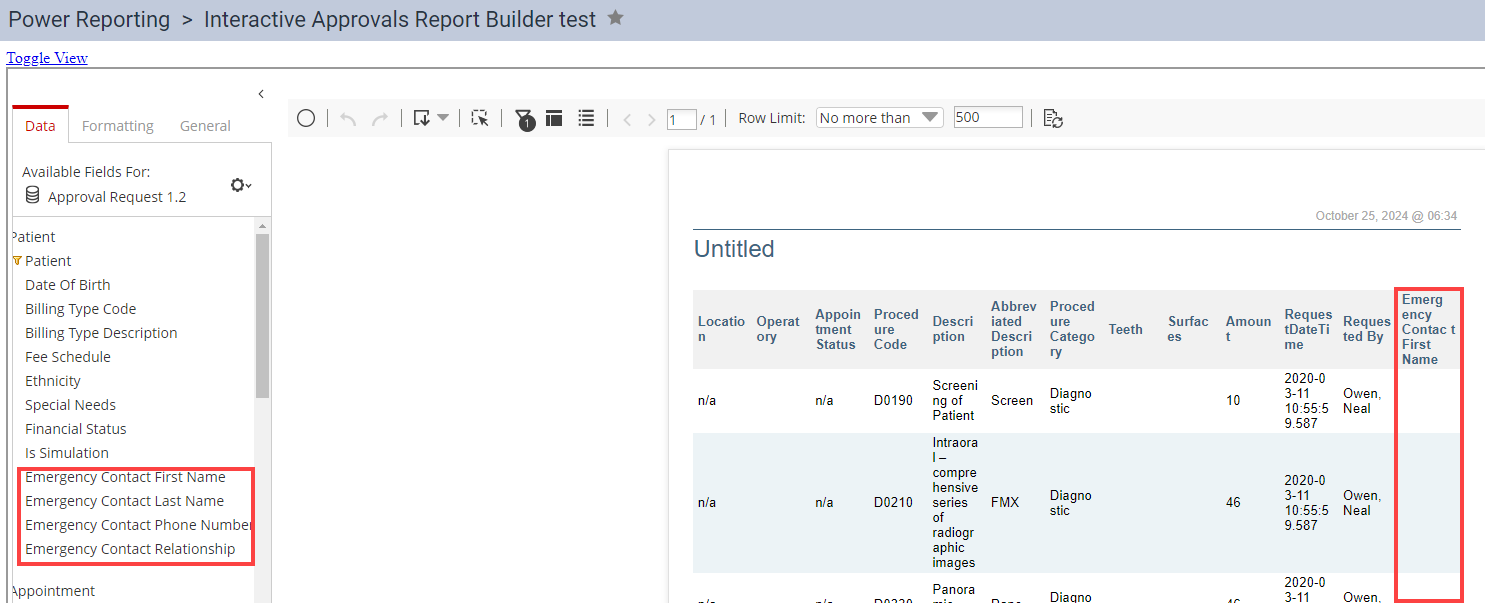
We have added several (new) emergency contact fields to power reports (Home > Reports > Power Reporting) that allow users to include emergency contact information in power reports.
Note: Only power reports that allow you to include patient information are affected.
The (new) fields include Emergency Contact First Name, Emergency Contact Last Name, Emergency Contact Phone Number, and Emergency Contact Relationship.
General
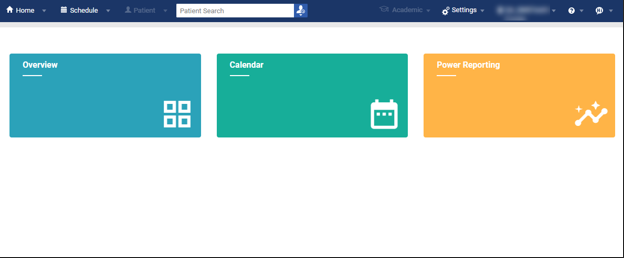
New landing page
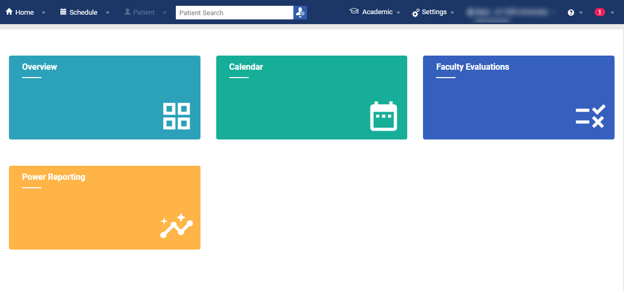
We have provided a (new) landing page that now displays to all users upon login. The page features several tiles that allow users to quickly access different sections of Ascend Academic and improves the time it takes to complete login.
Note: Available tiles will vary based on user permissions. Below are two examples.
Faculty user:
Provider user:
Bug Fixes
Student Progress page may not load
Issue: When accessed from the Academic menu, the Student Progress page may not load.
Solution: Fixed so that the page loads as expected.
Procedure code fee cannot be updated and does not display in fee schedules
Issue: Changes to the fee for procedure code D7961 do not save and the code does not display in fee schedules.
Solution: Fixed so that changes to the fee save and the code displays in fee schedules.
Schedule print view may load slowly
Issue: The print view for the appointment calendar may load slowly.
Solution: Updated the print tab so that it displays a loading screen with a progress indicator and messaging for users to continue work in the previous tab while waiting.
Editing repeated questions on an evaluation form may not work
Issue: When any question is repeated on an evaluation form, editing it may cause issues with other questions.
Solution: Fixed by adding a prompt that allows the user to update all repeated questions with the same text or only change the question they are directly editing.
Academic Progress Overview dashboard may not display values
Issue: The Procedure Counts Completion Rate % Group Comparison graphs do not display even though procedures have been completed and evaluated.
Solution: Fixed so that the graphs display as expected.
User-saved reports may not display in correct Power Reporting category
Issue: Some reports that have been built and saved by users to a particular Power Reporting category (e.g., Financial) do not display within that category.
Solution: Fixed so that new reports display in the correct category when saved.
Note: If needed, older user-saved reports must be recreated to display in the correct category. However, all older reports can still be located in All Reports.
Comments
0 comments
Please sign in to leave a comment.