
A shareable set of clinical note templates is a set of master clinical note templates that you can manage separately from the set of clinical notes for your location (if your organization has only one location) or any of the locations in your organization (if your organization has multiple locations). You can copy any of a location's templates to your organization's shareable set. As needed, you can add, modify, and delete templates in your organization's shareable set. You can also distribute templates from your shareable set to other locations, so users have access to those templates while logged in to those locations.
Important: You may want to restrict who has the Manage Shareable Set security right to help prevent unwanted changes to these master templates.
Note: When entering or editing a patient's clinical note while logged in to a given location, a person has access to only that location's clinical note templates and their own favorite clinical note templates.
To manage a shareable set of clinical notes
How to get there
-
On the Settings menu, under Patient Care, select Clinical Note Templates.
The Clinical Note Template Setup page displays.
Note: If the correct location is not already selected, use the Location menu to select it.
Tip: Even though a clinical note template is associated with a location, if someone makes that template a favorite, that person will have access to it from all locations because favorites are associated with user accounts.
-
Complete any of the following:
-
Copy location-specific templates to your organization's shareable set.
-
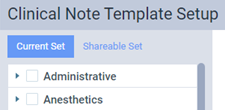
Open that location's Clinical Note Template Setup page.
Note:
-
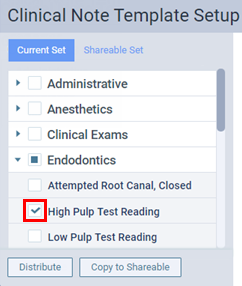
Select the check boxes of the clinical note templates you want to copy to the shareable set.
-
ClickTap Copy to Shareable.
Note: This button is only available if a check box is selected.
-
-
Add, edit, delete, or distribute shareable templates.
-
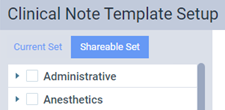
Open any location's Clinical Note Template Setup page and clicktap the Shareable Set tab.
-
Complete any of the following as necessary:
-
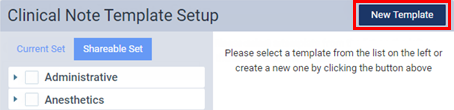
To add a shareable template, clicktap New Template, configure the template options, and clicktap Save.
-
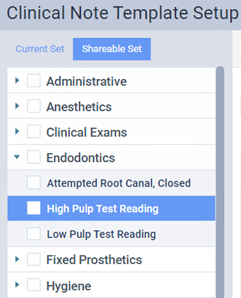
To customize a shareable template, select a template, make the necessary changes, and clicktap Save.
-
To delete a shareable template, select a template, clicktap Delete, and clicktap Delete when prompted.
-
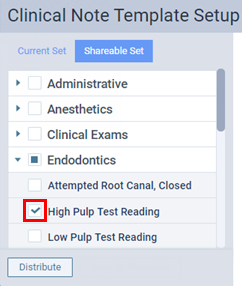
To distribute shareable templates, select the check boxes of each shareable template you want to distribute,clicktap Distribute, select the locations, configure the conflict resolution options, and clicktap Distribute.
Important: You may want to restrict who has the Distribute Clinical Note Templates security right to help prevent someone, who may not understand the consequences of using the Clear all existing templates & replace with those that are checked option when distributing templates, from unintentionally deleting templates in the destination locations.
-
-
-
Comments
0 comments
Please sign in to leave a comment.