
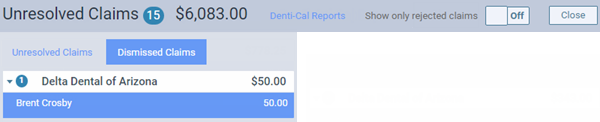
A dismissed claim is an unresolved claim that has been moved from the unresolved claims list to the dismissed claims list.
To process a dismissed claim
How to get there
-
From the Home menu, under Insurance, select Unresolved Claims.
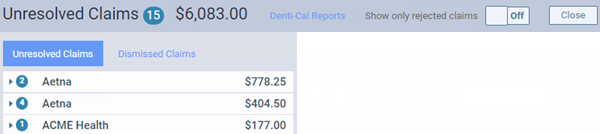
The Unresolved Claims page displays with the Unresolved Claims tab selected by default.
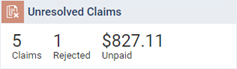
Tip: You can also access the Unresolved Claims page from the location's Overview page > Unresolved Claims widget. ClickTap anywhere in the widget or clicktap the Rejected counter in the widget to focus on rejected claims.
Note: If the correct location is not already selected, use the Location menu to select it.
-
On the Unresolved Claims page, clicktap the Dismissed Claims tab.
Notes:
-
Ascend Academic excludes dismissed claims from the total number of overdue insurance claims and the total amount of the charges for those claims.
-
The claims are grouped by insurance plans, which display as expandable and collapsible sections. You can expand a plan to view the corresponding claims.
-
To list only rejected claims, set the Show only rejected claims toggle to On. If you clickedtapped the Rejected count on the Unresolved Claims widget, this toggle defaults to On.

-
To quickly navigate to the Denti-Cal Reports tab of your location's inbox, clicktap the Denti-Cal Reports link.

-
-
Select a claim.
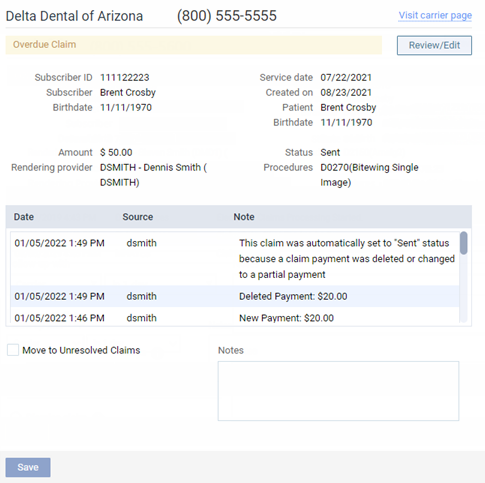
The claim options become available.
-
Complete any of the following as needed:
-
ClickTap the Visit carrier page link to view or update the insurance carrier's information.
-
ClickTap Review/Edit to view the claim. In the Claim Detail window, make any necessary changes and clicktap Save.
-
Enter any relevant Notes.
-
To move the claim from the Dismissed Claims tab to the Unresolved Claims tab, select the Move to Unresolved Claims check box.
Note: For an electronic claim submission, Ascend Academic transmits separate service lines for identical procedures on the same claim. For the known carriers, such as Medicaid and Blue Cross/Blue Shield, that require a single line with a quantity value for identical procedures on the same claim, claims are processed accordingly through the clearinghouse. If you receive a notice from a payer, stating that a quantity value is required for identical procedures, contact Ascend Academic Customer Support with that information so the needed functionality can be provided.
-
-
If you have entered notes or flagged the claim to be moved, clicktap Save.
Comments
0 comments
Please sign in to leave a comment.