
If you are scheduling appointments for an entire family, you can quickly schedule appointments for those related patients without having to search for each patient individually.
To schedule appointments for related patients
-
With a patient selected so their name displays in the Patient Search field, schedule an appointment for that family member.

-
On the Patient Information ribbon, clicktap the
 button to expand the Related Patients list.
Tip: If the Patient Information ribbon is hidden, you can clicktap the down arrow below the Patient Search field.

-
Next to the name of the family member you want to schedule, clicktap the Schedule new appointment
 icon.
icon.Notes:
-
If a related person has an upcoming appointment in the location that you are currently accessing, a date and time link for that appointment displays next to their name in the Next Appointment column.

-
If a related person has an upcoming appointment in a different location than the one you are currently accessing, the date and time of that appointment and a location icon display next to their name in the Next Appointment column.

-
If a related person does not have an upcoming appointment, None displays next to their name in the Next Appointment column.
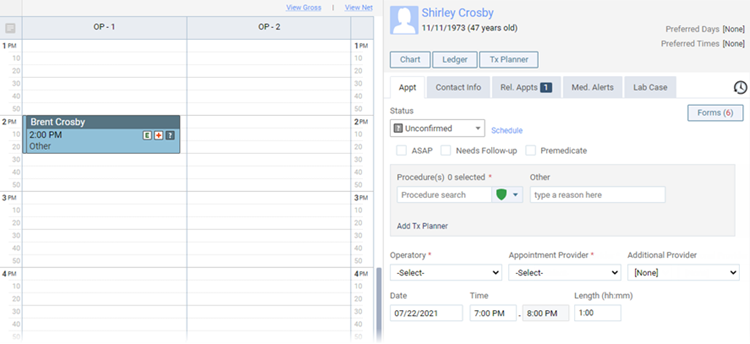
The Calendar page displays times near the first family member's appointment.
-
-
Schedule an appointment for this family member, selecting the procedures, operatory, provider, and other details as needed.
-
Repeat Steps 2-4 as needed for any other family members you want to schedule.
Comments
0 comments
Please sign in to leave a comment.