
Delete a patient form when it is no longer needed, such as when the form is outdated, has been replaced by another form, or was created for testing and is no longer required. Removing unused forms helps keep the Patient Forms list current and easier to manage. Before deleting a form, confirm that you have selected the correct form.
To delete a patient form
On the Settings menu, under Location, select Form Builder. The Patient Forms page opens in a new browser tab.
In the Actions column, click the ellipsis (...) for the form you want to delete, and then select Delete.
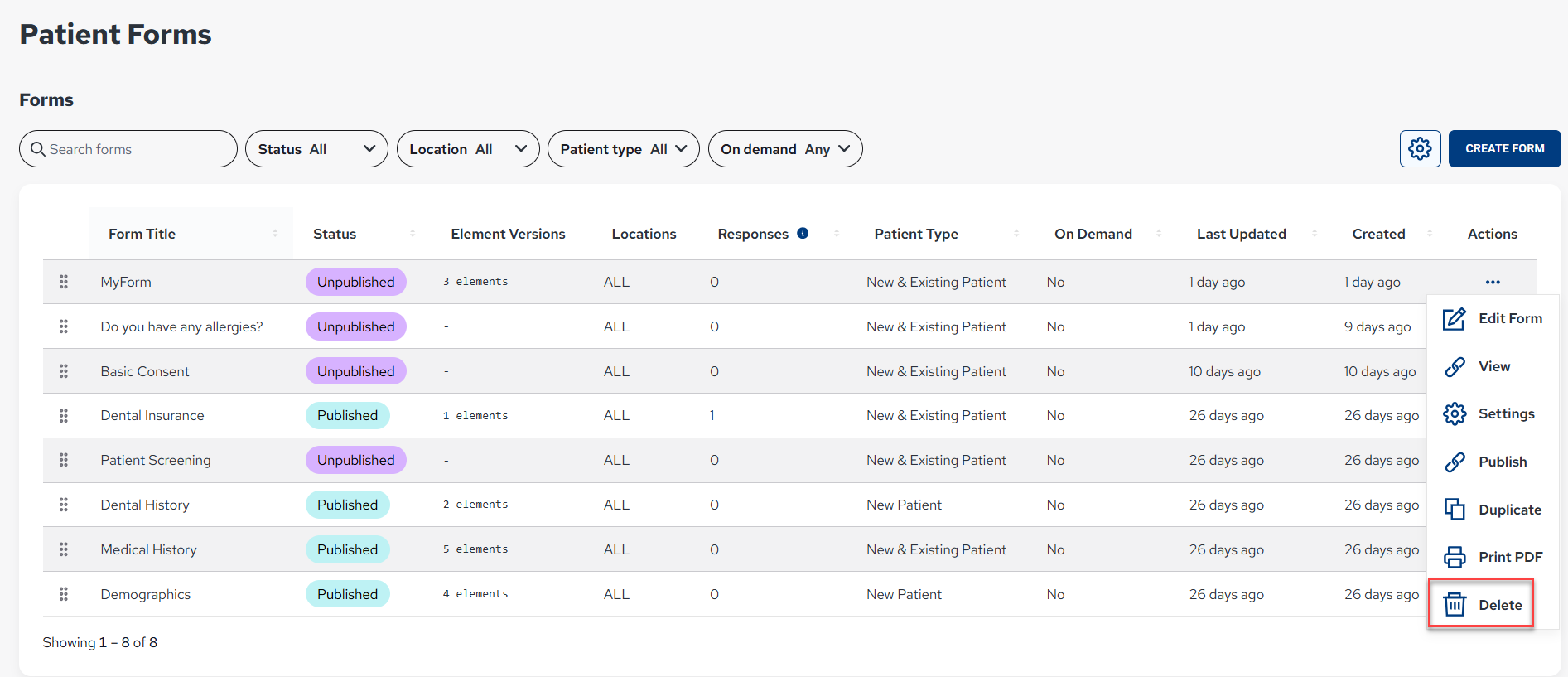
A confirmation message displays. Click Confirm.
Comments
0 comments
Please sign in to leave a comment.