
Edit an existing patient form to update its content or layout.
Important: Editing a published form changes its status to Unpublished. The form must be published again after the changes are complete.
To edit a patient form
On the Settings menu, under Location, select Form Builder. The Patient Forms page opens in a new browser tab.
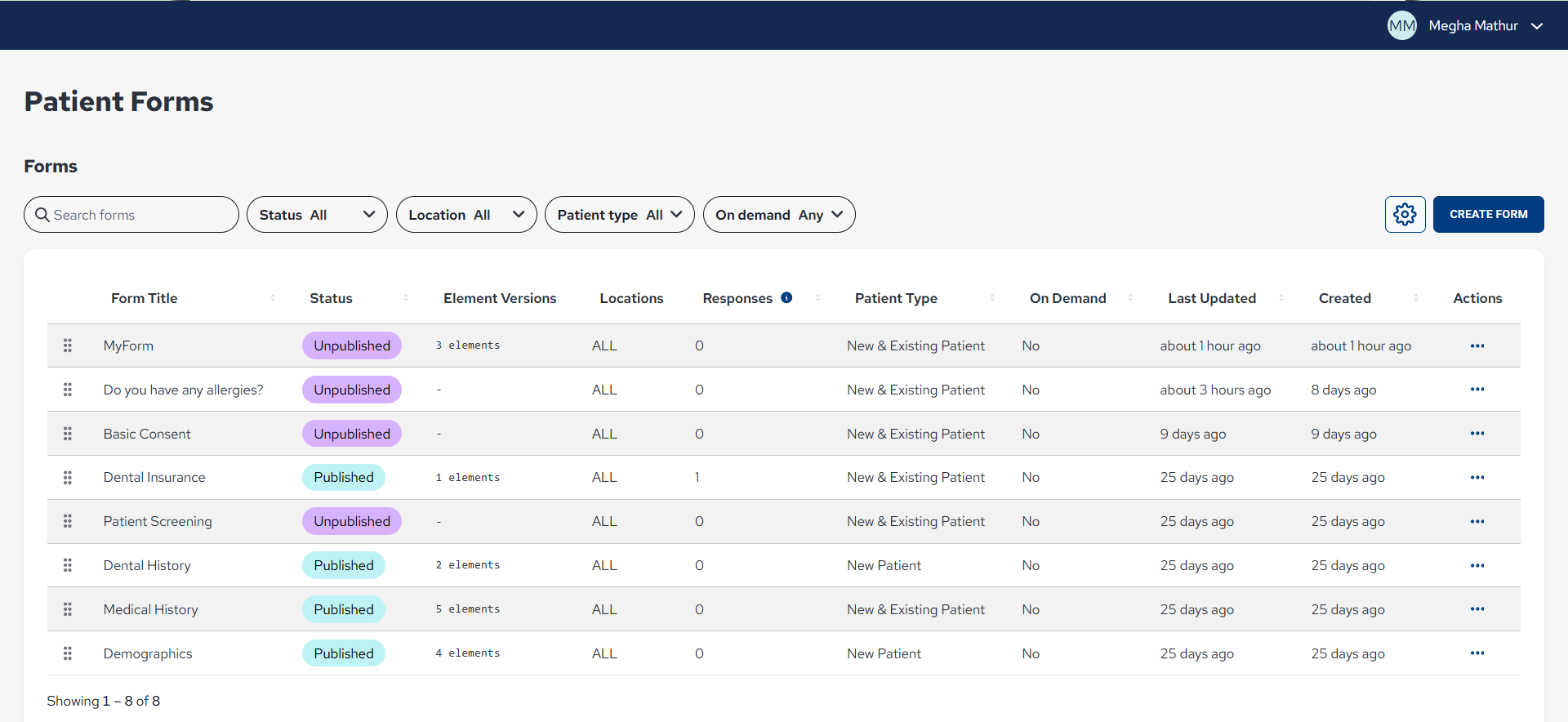
Locate the form to edit.
In the Actions column, clicktap the ellipsis (...), and then select Edit Form. The form opens in Form Builder.
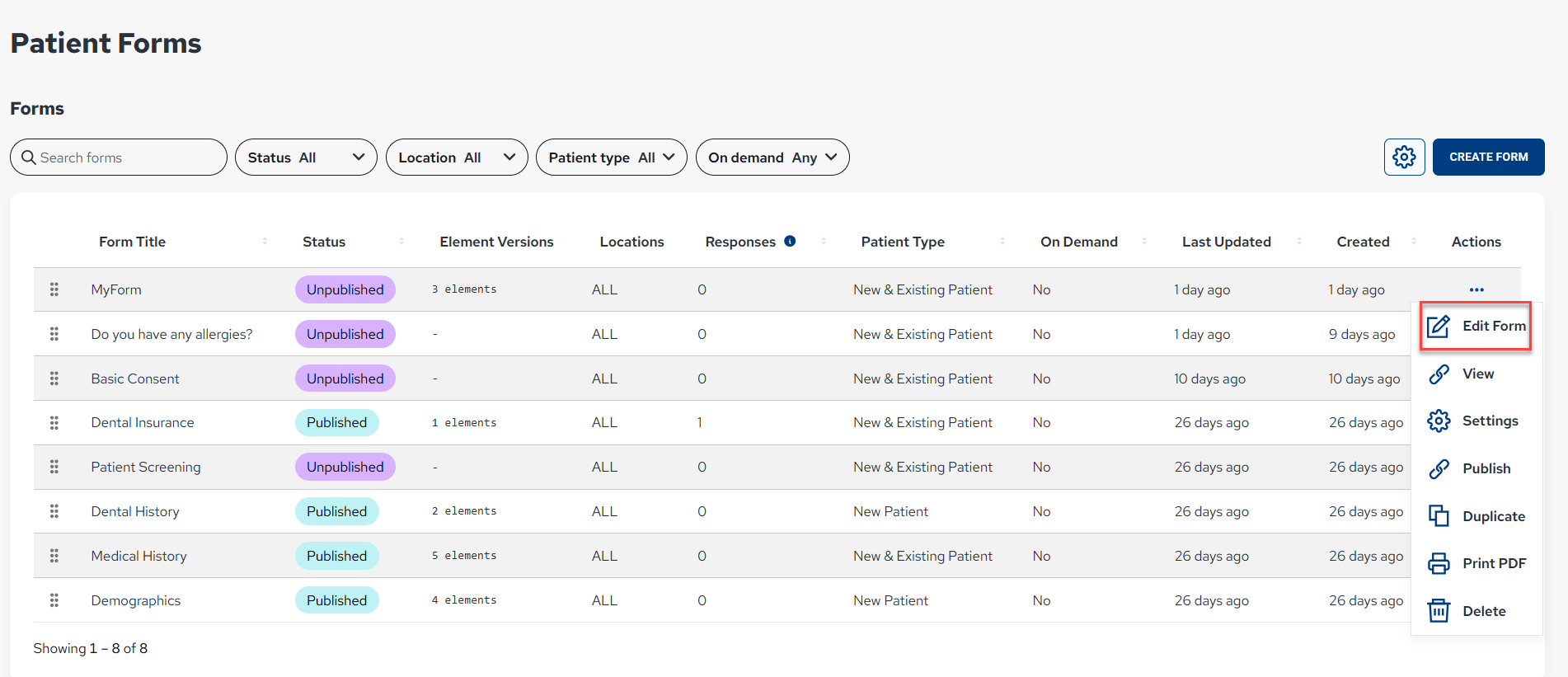
Make the required changes to the form.
Click the eye icon to switch to Preview mode. Preview the form to verify the changes.
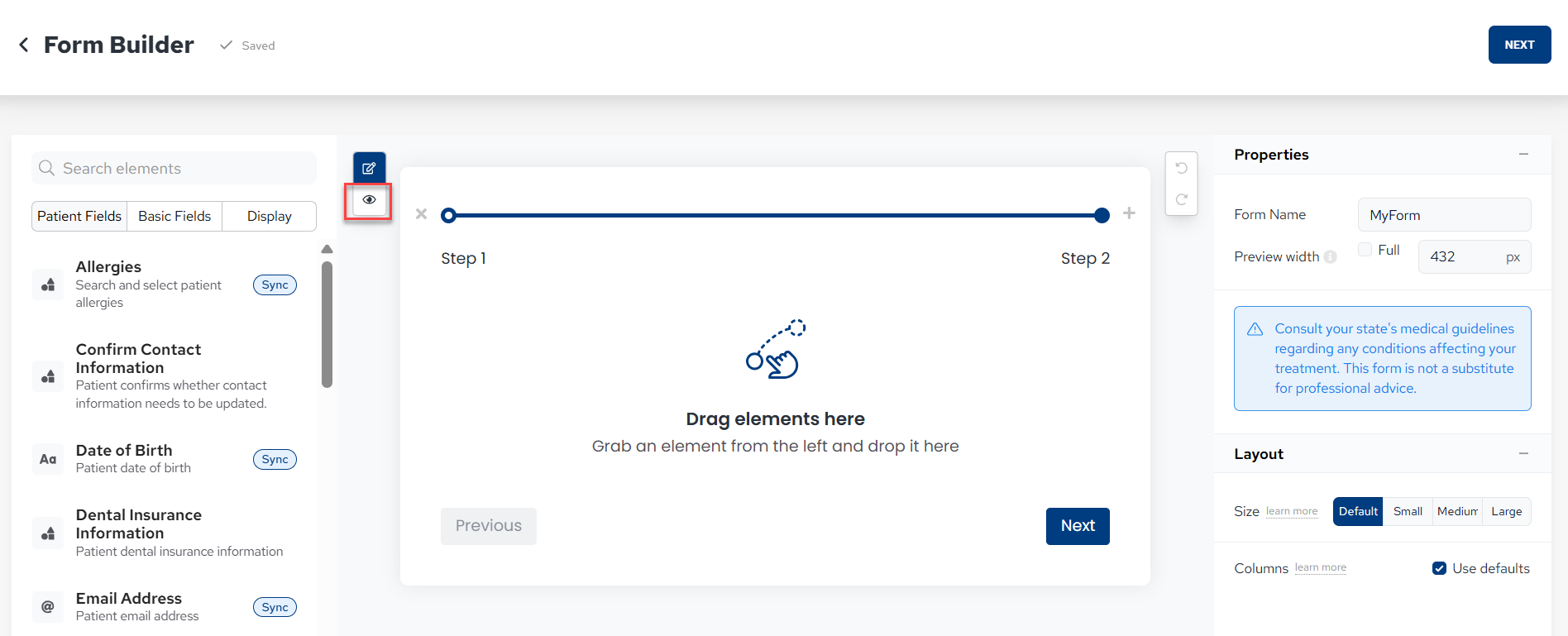
Click the Editor icon
 to return to edit mode.
When you are ready, click Next. The Form Settings page opens.
Review the settings, and then click Done. The Patient Forms page displays.
If the form was previously published, locate the updated form, open the Actions (...) menu, and select Publish.
Comments
0 comments
Please sign in to leave a comment.