
You can delete a user role as needed. If the user role that you are deleting is assigned to any users, you must select a replacement role for each user.
To delete a user role
How to get there
From the Settings menu, under Location, clicktap User Roles.
The User Roles page opens.
On the User Roles page, select a user role.

The options for editing the user role become available.
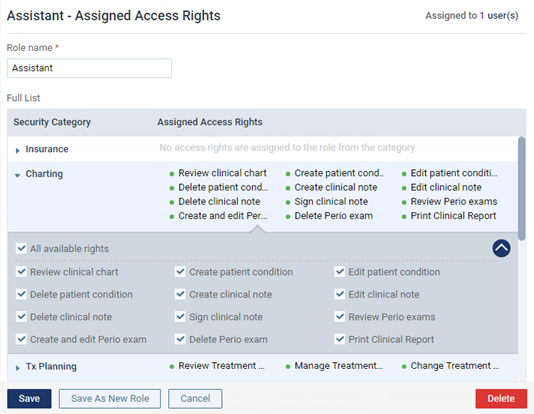
This button is available only if your user account has the security right to "Delete Role" selected.
A confirmation message appears.
ClickTap Delete.
If the role is assigned to any users (active and inactive), the User Role Deletion dialog box appears.

-
For each user in the dialog box, select a New Role. You can select the same role for all users listed (select a role for one user, and then clicktap Apply To All), or you can select a different role for each user listed. Then, clicktap Complete Deletion.
Comments
0 comments
Please sign in to leave a comment.