
The Unscheduled Treatment Report (Interactive) lists patients with treatment-planned procedures that have not been scheduled yet. For each patient on the report, the following information appears: his or her last visit date, the insurance renewal month, any remaining benefits, and the treatment-planned procedures and their corresponding providers and fees. Also, patients are grouped by their primary contact, and that contact person's name, phone number, and email address appear.
To generate the report
How to get there
From the Home menu, under Reports, clicktap Power Reporting.
The Power Reporting page opens.
On the Power Reporting page, clicktap the Unscheduled Treatment (Interactive) icon.

The report appears.
The data from your database syncs with the reporting system automatically and displays the time of the last sync on the Data as of button. Data entered in axiUm Ascend prior to the time shown will not be available on the report until the next sync. To view the time when the next sync is expected to occur, clicktap the Data as of button.

To customize the report, clicktap the Toggle Edit link. Using the interactive report builder tools, add data fields to the layout, and set up filters as needed.
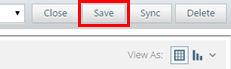
To save the report as a template for later use, clicktap Save. In the Save Report dialog box that appears, type a name for the report, select whether you want to save the report as one of your reports (available only to you) or as an organization report (available to all users), and then clicktap OK.

-
Export the report as a .pdf, .xslx, or .csv file, or view the report as HTML.
Comments
0 comments
Please sign in to leave a comment.