
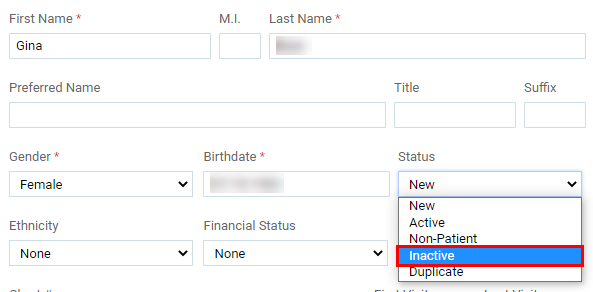
You cannot delete a patient record. However, if you have created a duplicate patient record or if a patient record is not valid, you can change the status of the record to Inactive to indicate to yourself and others that no information should be entered into that record.
To inactivate a patient record
How to get there
-
From the Patient menu, under General, select Patient Information.
The patient's Patient Information page displays.
Tip: You can also access the Patient Information page from the Patient Information ribbon > Edit link.
Note: If the correct patient is not already selected, use the Patient Search field to access the patient's record.
-
On a patient's Patient Information page, clicktap the Basic Info tab.
-
From the Status drop-down list, select Inactive.
-
ClickTap Save.
Tip: You can include inactive patients when searching for a patient by setting the Include inactive patients toggle to On.
Comments
0 comments
Please sign in to leave a comment.