
Test the patient signature before publishing the form to confirm that patients can complete the Signature field and that the signature is retained with the submitted form.
To test the patient signature
In Form Builder, open the form you want to validate.
Confirm that the Signature control is included in the appropriate location in the form.
Select Save.
Open a test patient record, and select Patient Forms.
The Patient Information page opens. Select Patient Forms from the left pane.
Locate the form you want to test.
In the Actions column, select the Send icon.
In the Resend Form window, under Direct Link, do one of the following:
Select Open forms in new tab to open the form directly.
Select Copy Link, and open the copied link in a browser.
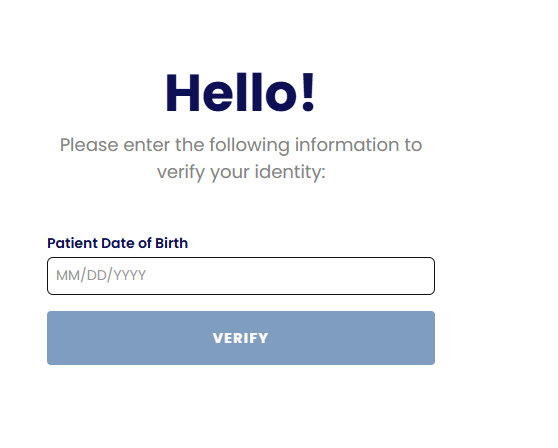
On the verification page, enter the test patient's date of birth, and select Verify.
On the patient-facing forms page, locate the form and select Begin.
Complete the required fields using non-identifying test information.
Select Next to move through each section of the form, as applicable.
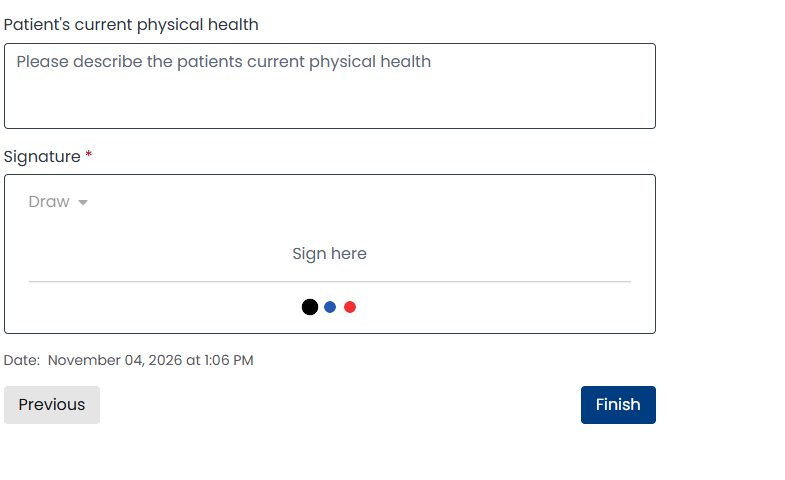
Complete the Signature field.
Review the information entered in the form.
Select Finish to submit the form.
Comments
0 comments
Please sign in to leave a comment.