
Make published forms available to patients directly from their patient record. Choose from text, email, direct link, or QR code based on how the patient will access the form.
To request a patient form
Open the patient record. On the Patient menu, select Patient Forms, and locate the form you want to request.
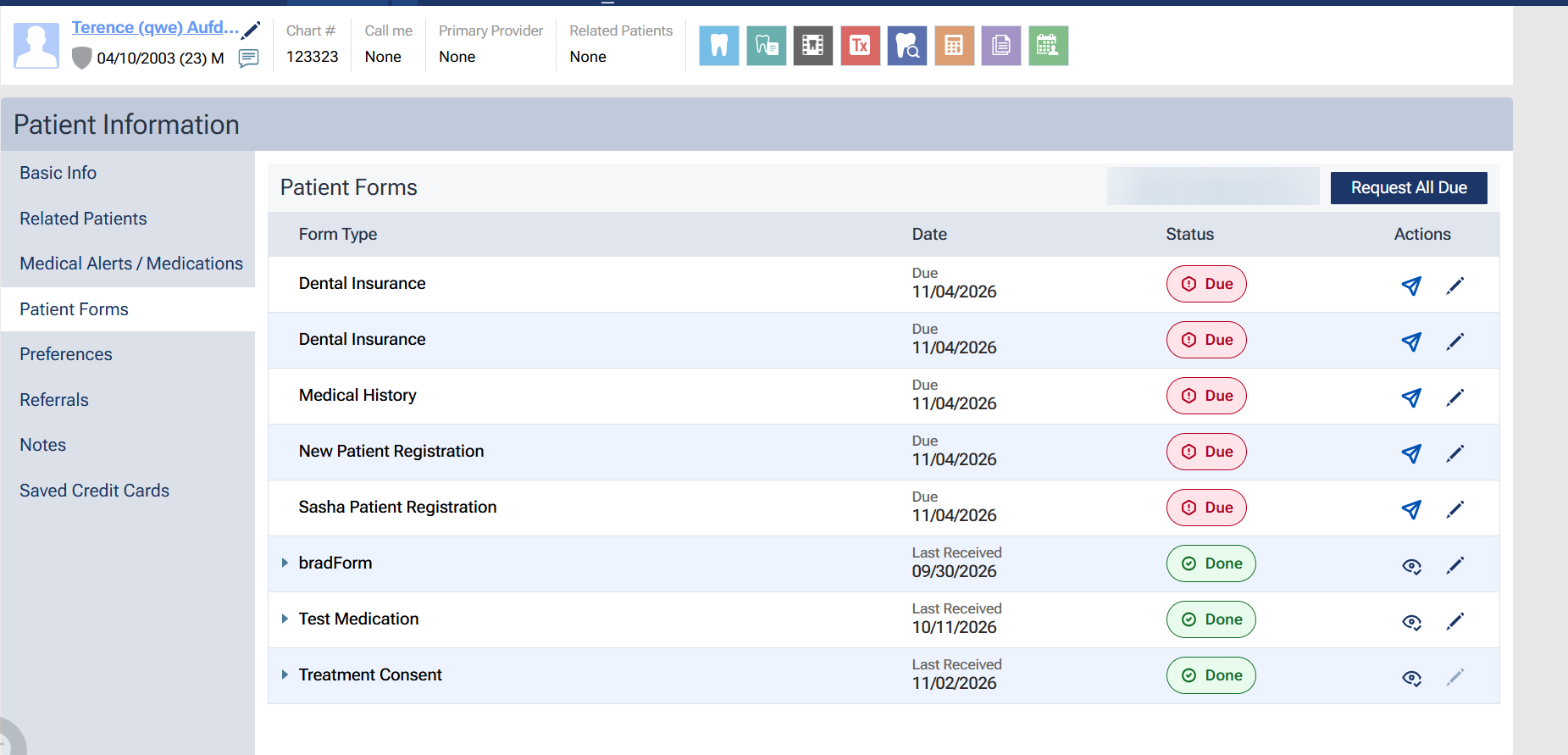
In the Actions column, select the Send icon for the form.
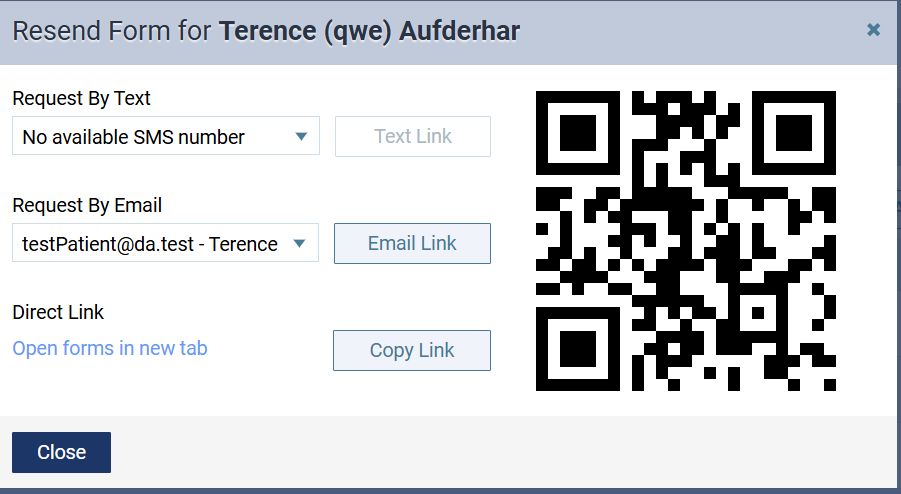
In the Resend Form window, choose one of the available delivery options:
-
Text: Select an available SMS number, and then select Text Link.
-
Email: Select an email address, and then select Email Link.
-
Direct Link: Select Open forms in new tab to open the form directly, or select Copy Link to copy the form link.
-
QR code: Have the patient scan the displayed QR code to open the form.
-
Confirm that the patient can open the intended form.
Select Close to close the window.
Comments
0 comments
Please sign in to leave a comment.