
A tooth chart can be added to the evaluation template to document students' skill accuracy levels. Evaluators can mark tooth surfaces if the student made an error or a critical error during her examination or procedures.
To start a Tooth chart evaluation
-
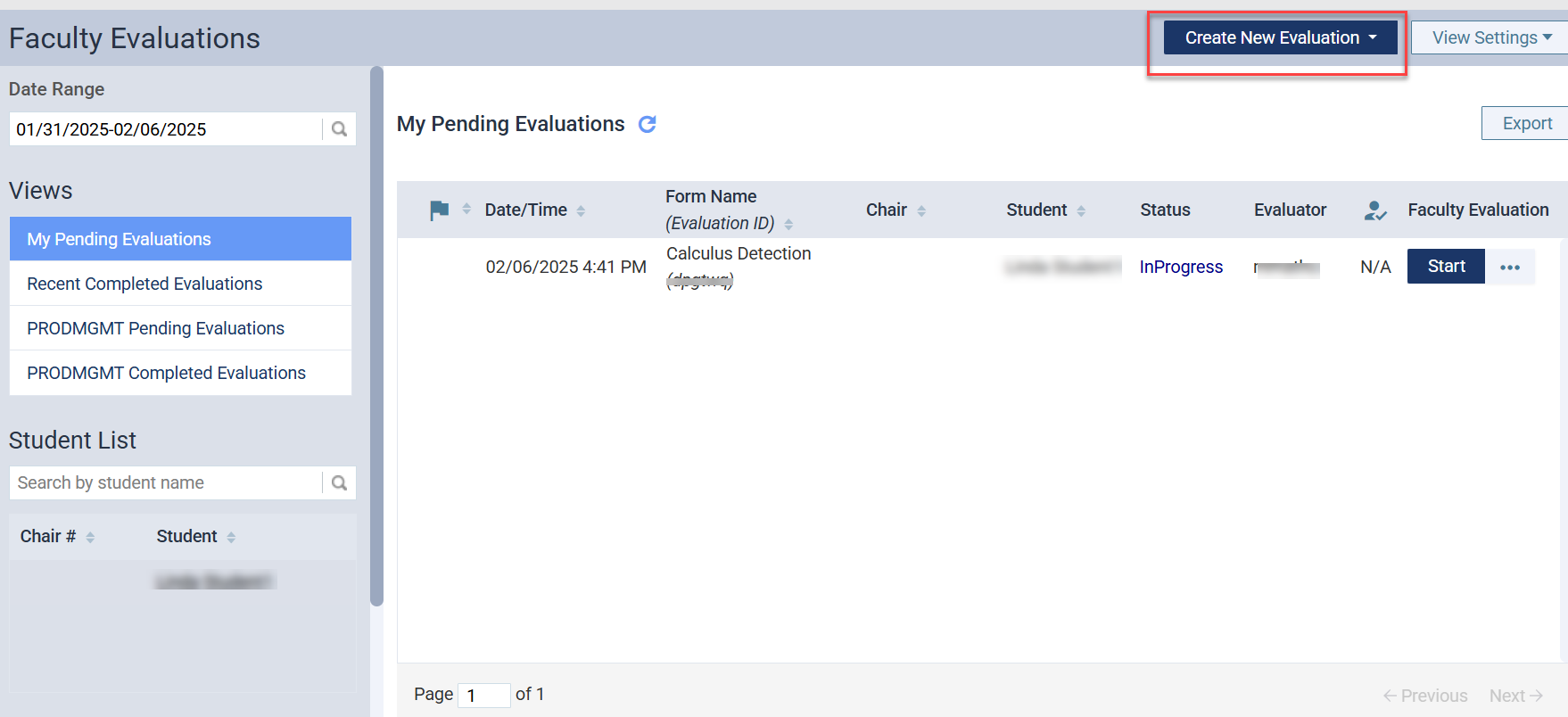
On the Faculty Evaluations page, select Create New Evaluation. Users can select either Sessional or Competency Evaluation.
-
Under Views, select My Pending Evaluations, search for the form and select the Start Button under Faculty Evaluation.

-
Under Tooth & Procedure, faculty users can search for the procedure code.

-
Under Tooth Chart faculty users can mark tooth surfaces if the student made an error or a critical error during her examination or procedures.
-
Select a surface and click once to mark an error made (orange)
-
Select a surface and click twice to mark a critical error made (red)
-
Clicking three times on the surface will remove errors and reset the surface (blue)

Note: The application does not differentiate grading points for an error and a critical error in this release.
-
-
Exclude Surfaces or Tooth: Under Tooth Chart evaluators can exclude surfaces or teeth using Exclude Surfaces or Exclude Teeth buttons.
-
Exclude Surfaces - Users can select surface(s) to exclude from the evaluation. For instance, users can exclude surfaces without calculus deposit from calculus removal skills evaluation. The selected number of surfaces is deducted from the total surfaces.
-
Exclude Teeth - Users can exclude the whole tooth and its surfaces from the evaluation. For instance, users can exclude missing teeth from the calculus detection skills evaluation. The selected teeth and their surfaces are deducted from the total surfaces.
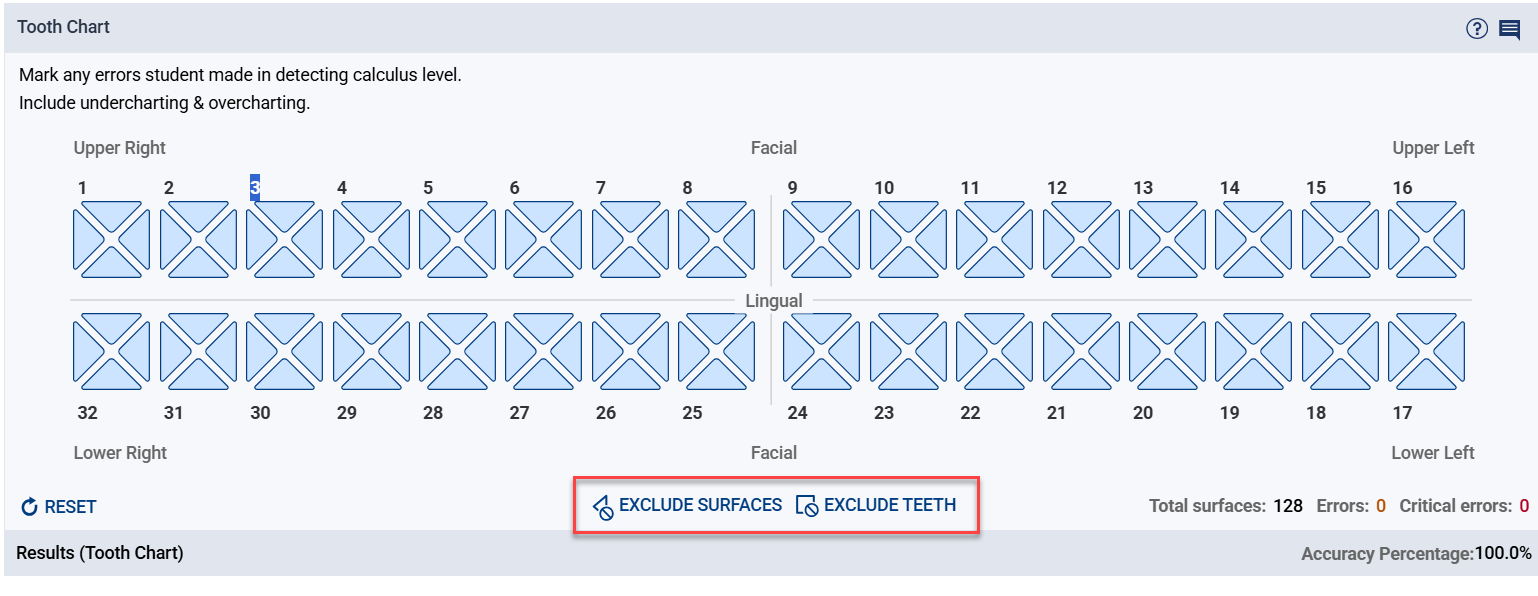
Note: In 4 surface tooth chart, the default number of total surfaces is 128 (32 times 4).
-
-
Accuracy Percentage: As the user fills in the tooth chart, the application calculates the Accuracy Percentage in the Results (Tooth Chart) row.
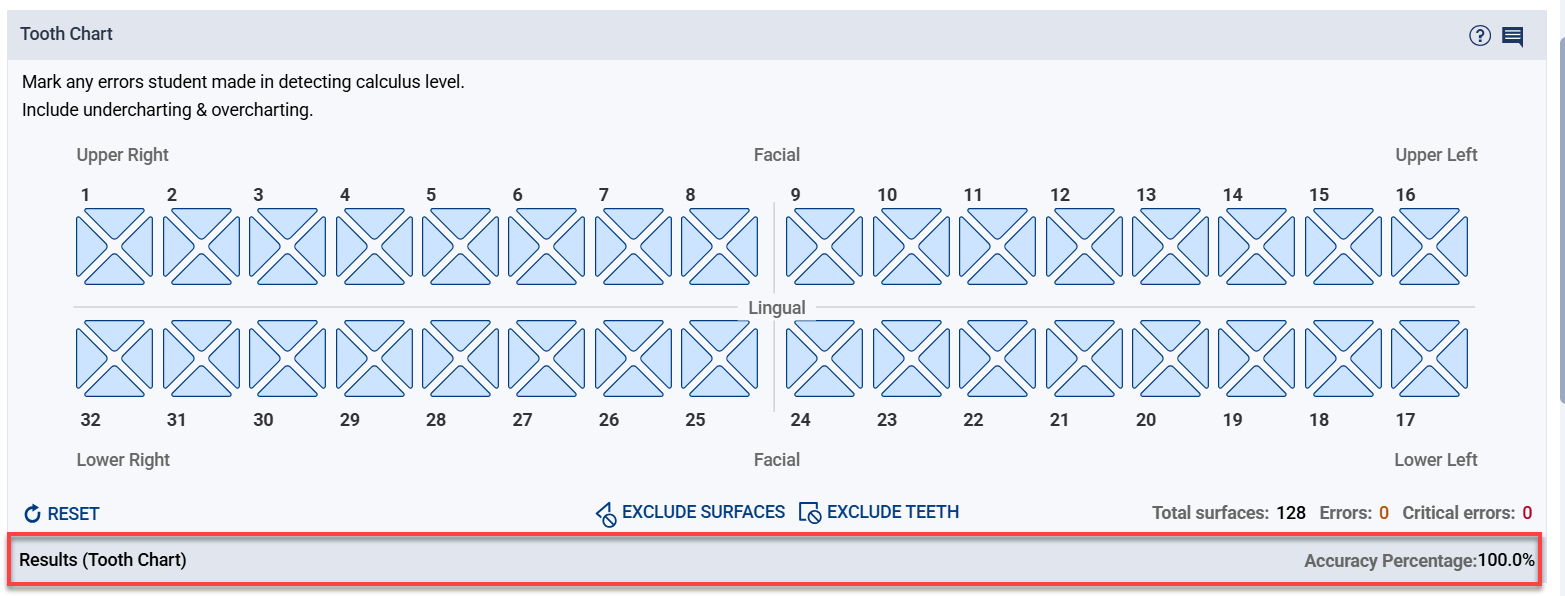
Note: Accuracy Percentage is calculated by the number of surfaces without an error/critical error divided by the total number of surfaces considered for the evaluation. For instance, when 7 surfaces are excluded from the evaluation, 4 errors are made, and 4 critical errors are made; then Total Surfaces = 121 and Surfaces without Errors = 113. Therefore, Accuracy % = 113 divided by 121, which equates to 93.4%
-
Tooth Chart Comments: Evaluators can add their overall comments about the tooth chart evaluation using the comment icon on top of the tooth chart.

Comments
0 comments
Please sign in to leave a comment.