
From the practice dashboard, you can manage claims that are overdue. A claim is overdue if it was submitted 15 or more days ago and has one of the following statuses: Sent, Accepted, Pending, Printed, Unprocessed, Additional Info Requested, Attachment Error, or Paid (the payment was sent by the carrier but not received by your office). A claim will also be unresolved if it was previously unresolved, a follow-up was done, and then an additional follow-up reminder was applied to the claim. Unresolved claims also include any claim with a Rejected status (rejected by the payer or clearinghouse).
To process an unresolved claim
How to get there
-
From the Home menu, under Insurance, select Unresolved Claims.
The Unresolved Claims page displays with the Unresolved Claims tab selected by default.
Tip: You can also access the Unresolved Claims page from the location's Overview page > Unresolved Claims widget. ClickTap anywhere in the widget or clicktap the Rejected counter in the widget to focus on rejected claims.
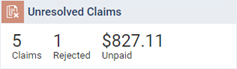
Note: This widget only displays if you have the Billing Coordinator or Administrator role enabled.
Note: If the correct location is not already selected, use the Location menu to select it.
-
On the Unresolved Claims page, leave the first claim selected, or clicktap a different claim.
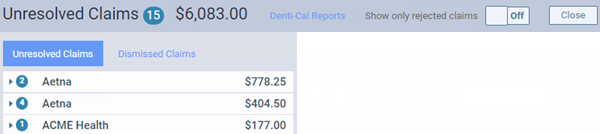
Note: The unresolved claims are grouped by insurance plans, which appear as expandable and collapsible sections. You can clicktap a plan's button to view the corresponding claims.
The claim options become available.

-
Complete any of the following as needed:
-
Contact the insurance carrier and/or patient.
-
Specify that the claim needs additional follow-up, enter any Notes, and specify who to Follow up with (carrier or patient) and when you want to be reminded to follow up. Then, select the Close Claim check box to remove the claim from the list until the specified number of days has elapsed.
-
-
ClickTap Save.
Comments
0 comments
Please sign in to leave a comment.