
You can delete any of a location's operatories that do not have any appointments and events scheduled in them.
To delete an operatory
How to get there
If you are not already viewing the correct location, select it from the Location menu.
From the Settings menu, under Location, clicktap Operatories.
The Operatories page opens.
On a location's Operatories page, select an operatory.
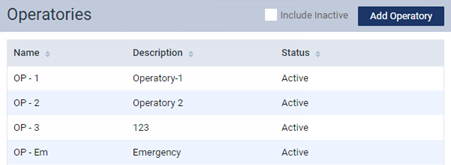
Note: To view all active and inactive operatories in the list, select the Include Inactive check box.
The options for editing the operatory become available.
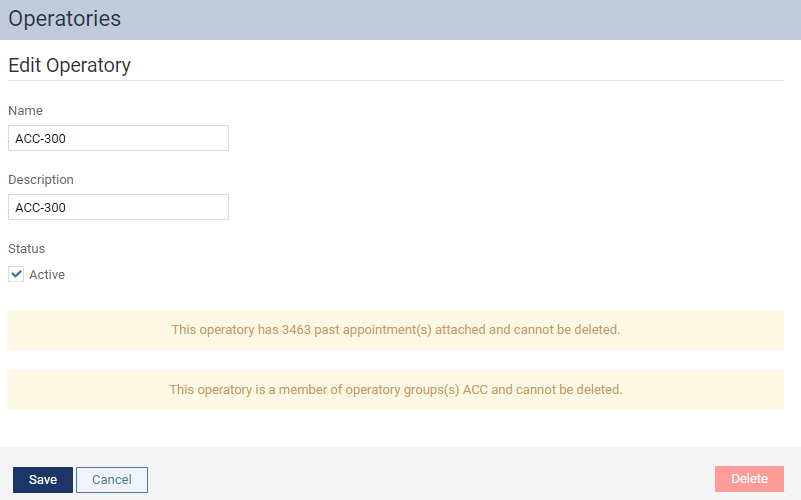
Tip: You cannot delete an operatory that has past and/or future appointments and/or events scheduled in it.
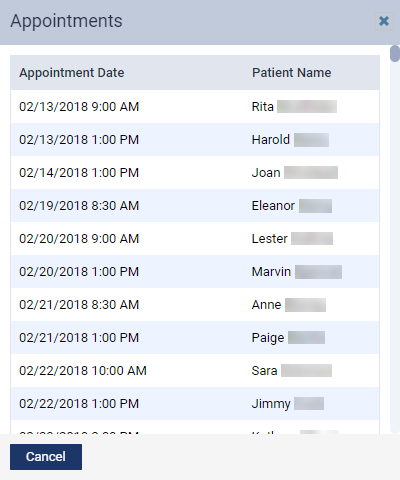
This button is available only if there are no appointments and/or events scheduled in this operatory.
A confirmation message appears.
ClickTap OK.
Comments
0 comments
Please sign in to leave a comment.