
You can delete an event as necessary.
Note: When deleted successfully, the action is audited on the audit log.
To delete an event
How to get there
-
From the Schedule menu, select Calendar.
The Calendar page displays.
-
On the Calendar page, clicktap an event.

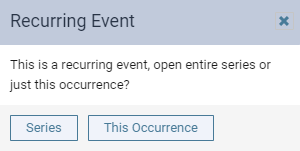
If the event is a recurring event, the Recurring Event window displays.
-
If prompted, clicktap Series to delete the entire series or This Occurrence to delete only this specific event.
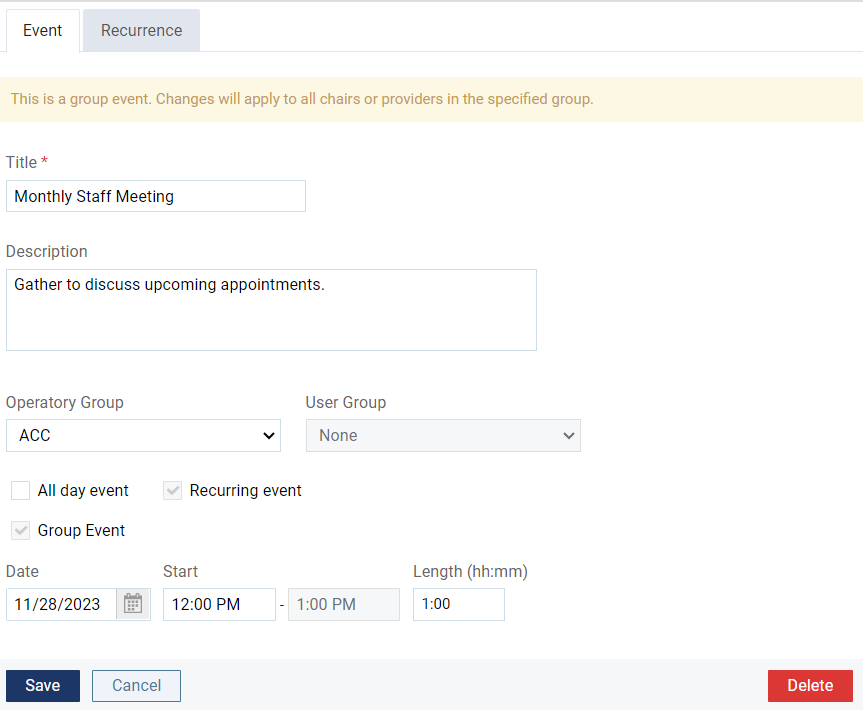
The Event Information panel displays.
-
ClickTap Delete.
-
When prompted to confirm, clicktap OK.
Comments
0 comments
Please sign in to leave a comment.