
The Cash Box custom pick list allows you to define which entries display from the Cash Box field when users enter or update patient payments.
If you have permissions, you can add cash boxes to the Cash Box custom pick list.
Note: You can manage pick lists according to your security rights for Custom Pick Lists.
To add a cash box
How to get there
-
From the Settings menu, under Location, select Custom Pick Lists.
The Custom Pick Lists page opens.
-
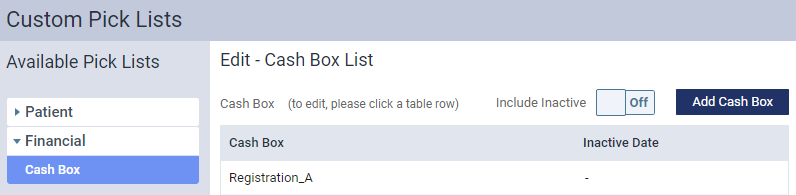
Under Available Pick Lists, clicktap Financial and clicktap Cash Box.
The Edit - Cash Box List panel opens.
-
ClickTap Add Cash Box to open the Create Cash Box window.

-
In the Cash Box field, enter the name.
-
ClickTap the Status toggle to make it Active.
-
ClickTap Add.
Comments
0 comments
Please sign in to leave a comment.