
In some rare cases, you may need to clear your browsing data to continue using Ascend Academic.
To clear the browser cache
-
Log out of Ascend.
-
Navigate to https://app.ascendacademic.com.
-
Next to the address bar, clicktap the
 icon and select Clear browsing data....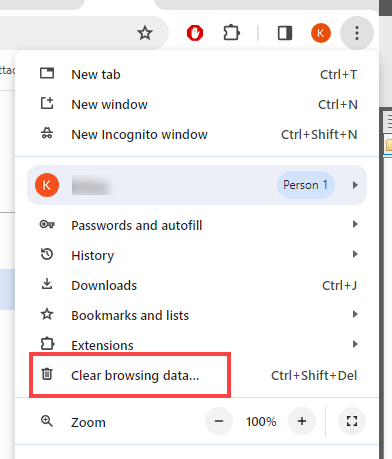
-
From the Time range drop-down list, select an option.
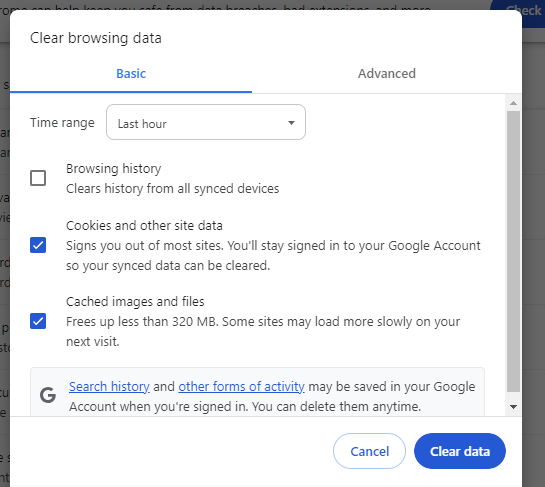
-
Select the Cookies and other site data and Cached images and files checkboxes.
-
Click Tap Clear data.
-
If prompted, reload the page.
Comments
0 comments
Please sign in to leave a comment.