
You can specify if a reason must be entered when transactions are edited or deleted.
Note: Changing the requiring reasons option affects all locations in your organization.
To require reasons for correcting or deleting transactions
How to get there
-
On the Settings menu, under Production,clicktap Ledger Options.
The Ledger Options page opens.
-
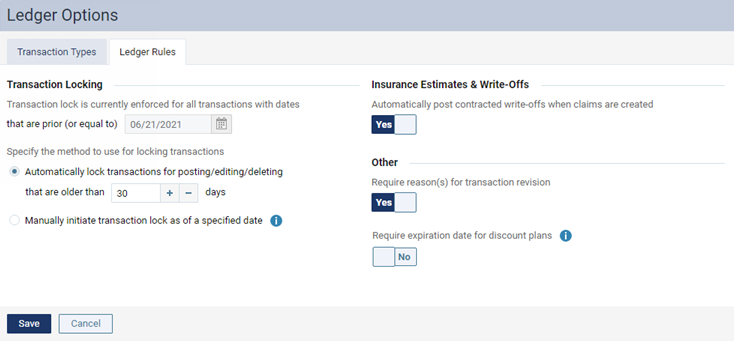
On the Ledger Options page, clicktap the Ledger Rules tab.
-
Under Other, set the Require reason(s) for transaction revision switch to Yes.
Note: With this requirement turned off, a reason can still be entered, but is not required, when editing or deleting a transaction.
-
ClickTap Save.
Comments
0 comments
Please sign in to leave a comment.