
You can delete a recare communication, which is an e-mail and text message that are automatically sent to patients regarding their prophy recare.
Note: Alternatively, you can inactivate a recare communication.
To delete a recare communication
How to get there
-
If you are not already viewing the correct location, select it from the Location menu.
-
From the Settings menu, under Patient Care, clicktap Patient Communications.
The Patient Communications page displays.
-
On the location's Patient Communications page, select the Recare tab to view a list of existing recare communications in the system.

-
Select a communication.
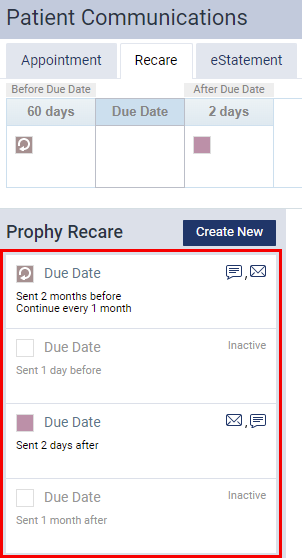
Note: Inactive communications display in grey.
Samples of the corresponding email message and text message display.
Before Due Date

After Due Date

-
ClickTap Delete.
A Delete Reminder window displays.

-
ClickTap Delete.
Comments
0 comments
Please sign in to leave a comment.