
Ascend Academic can automatically verify insurance eligibility for patients with upcoming appointments.
Tip: You can configure this functionality as needed per location.
If automatic batch insurance eligibility verification has been enabled for your location, Ascend Academic verifies eligibility nightly for patients with appointments that are scheduled within the next specified number of business days (i.e., days with appointments, based on the location's hours).
Note: The process skips patients whose eligibility has already been verified automatically (either as part of a batch or individually) in the current calendar month.
If disabled, you can manually verify a patient's insurance eligibility status.
To enable or disable batch insurance eligibility verifications
How to get there
-
If you are not already viewing the correct location, select it from the Location menu.
-
From the Settings menu, under Location, clicktap Location Information.
The Location Information page displays.
-
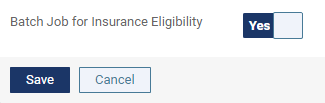
On a location's Location Information page > Basic Info tab, set the Batch Job for Insurance Eligibility toggle switch located on the bottom-left accordingly:
-
To enable automatic batch insurance eligibility verification, set the toggle to Yes.
-
To disable automatic batch insurance eligibility verification, set the toggle to No.

-
-
ClickTap Save.
Comments
0 comments
Please sign in to leave a comment.