
You can merge duplicate insurance carriers or merge an insurance carrier that was entered in error with another carrier. The following will be moved from the incorrect carrier to the correct carrier: insurance plans, bulk insurance payments, and contracted providers.
Note: You must have the Merge Carriers security right to merge insurance carriers.
Important: A merge cannot be undone.
To merge insurance carriers
How to get there
-
From the Home menu, under Insurance, select Carriers.
The Insurance Carriers page displays.
-
On the Insurance Carriers page, select the insurance carrier to delete.
Tip: To locate an insurance carrier quickly, enter part or all of a carrier's name, plan/employer, or group number in the Filter field.

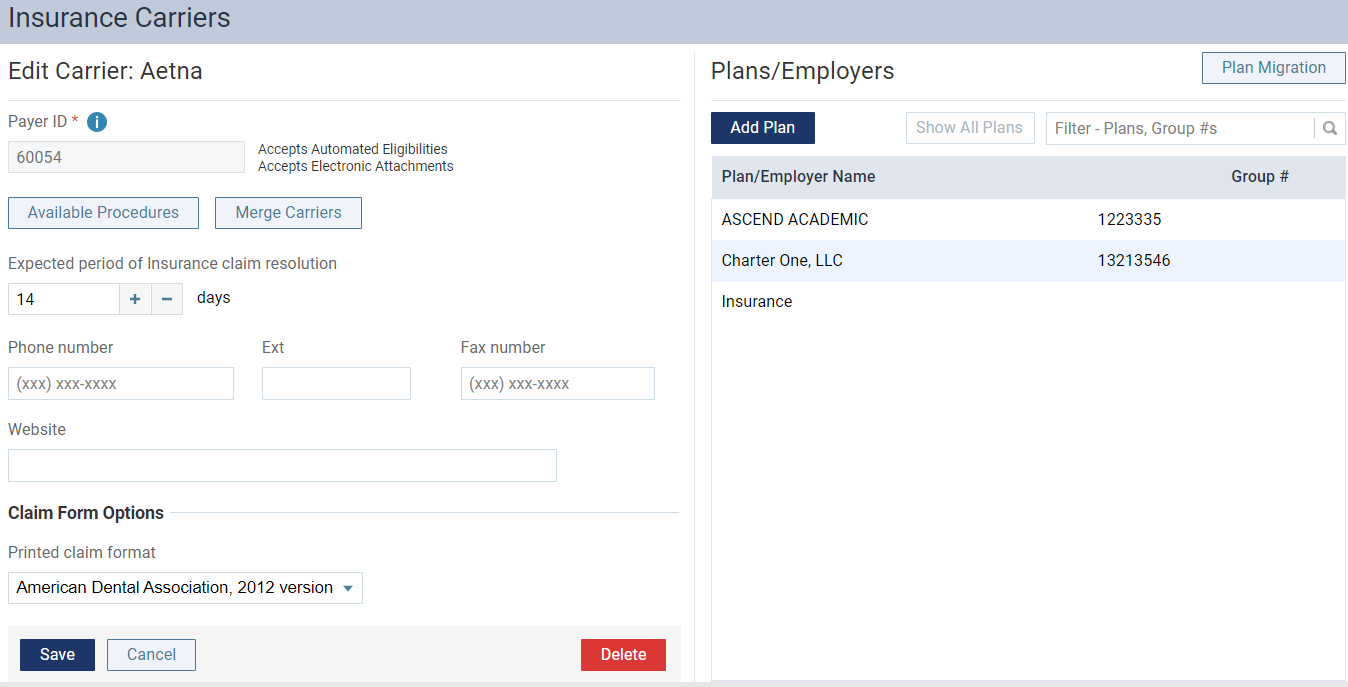
The options for editing the insurance carrier's information become available.
-
ClickTap Merge Carriers to display the Merge Insurance Carriers window.

-
Under Corrected Carrier, enter a carrier's name, plan/employer, or group number in the Carrier Name field to narrow the results list and select the correct carrier to keep.
Important: This is the insurance carrier to keep.

-
When ready, clicktap Next to move to the Merge Options tab.

-
Select the radio button next to the insurance carrier's settings you want to keep. This includes the Expected period of Insurance claim resolution and Printed claim format settings.
-
When ready, clicktap Next to move to the Confirmation tab.

-
Review as necessary and clicktap Merge.
Tip: A note regarding the merge is added to the Claim Detail window > Status/Notes tab for each affected claim to help track the history of the claim. The note indicates that the claim was moved from the old Payer ID number to the new Payer ID number and the date that the carriers were merged.

Comments
0 comments
Please sign in to leave a comment.