
You can view a patient's claim history.
To view a patient's claim history
How to get there
-
From the Patient menu, under Insurance, select Insurance Claims.
The patient's Insurance Claims page displays.
Note: If the correct patient is not already selected, use the Patient Search field to access the patient's record.
-
On a patient's Insurance Claims page, review their list of claims.
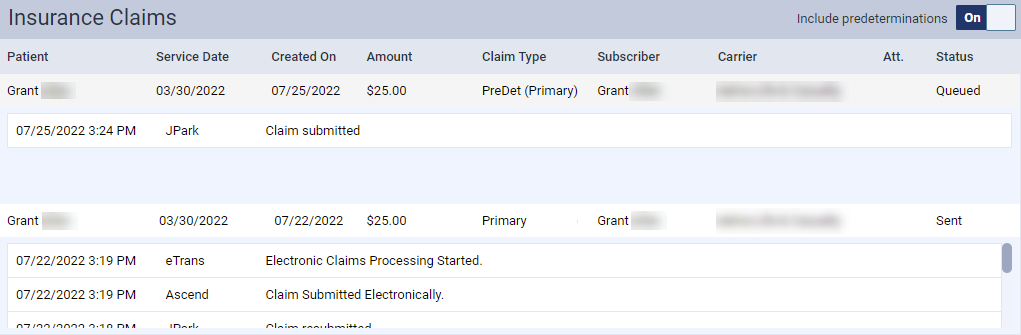
Note: A claim can have any of the following statuses: Unsent, Sent, Zero Payment, Rejected by eServices, Rejected by Payer, Unprocessable Claim, Accepted, Additional Info Requested, and Queued.
Tips:
-
You can set the Include predeterminations toggle to Off to remove predetermination claims from the page.
-
To view a list of the patient's predetermination claims, clicktap the Predeterminations button on the patient's treatment planner to generate a list of their predetermination requests.
-
-
ClickTap any claim to view its details.

Comments
0 comments
Please sign in to leave a comment.