
You can delete multi-codes (except those that are required by Ascend Academic) as needed for your locations.
To delete a multi-code
How to get to there
-
If you are not already viewing the correct location, select it from the Location menu.
-
From the Settings menu, under Production, clicktap Procedure Codes & Conditions.
The Procedure Codes & Conditions page displays.
-
On a location's Procedure Codes & Conditions page, select a multi-code.
Notes:
-
To quickly locate a multi-code, type a code or description in the Search For Specific Procedure field.
-
You can also filter the list of procedure codes to view all, only favorites (most commonly used procedures), only active, or only inactive.

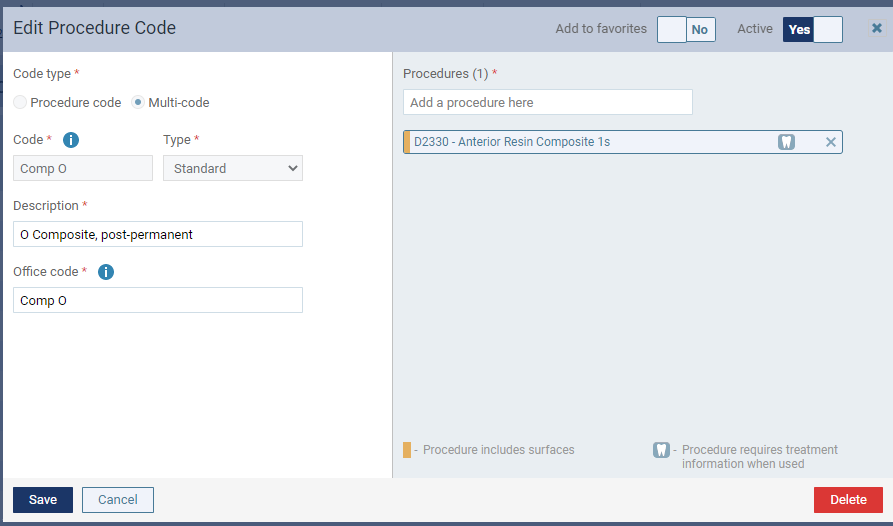
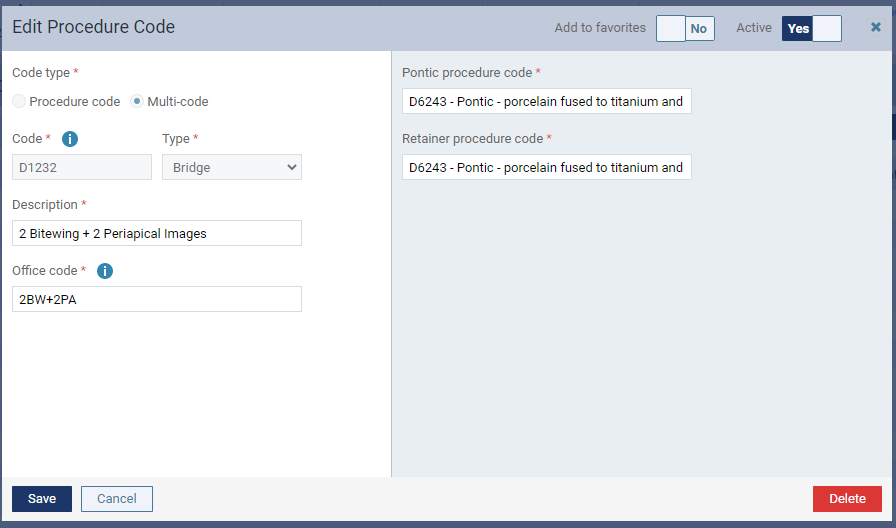
The Edit Procedure Code window displays.
Standard
Bridge
-
-
ClickTap Delete.
-
When prompted to confirm, clicktap Delete.
Comments
0 comments
Please sign in to leave a comment.