
To add a condition to the list of favorites
How to get there
-
If you are not already viewing the location that has a condition that you want to make a favorite, select that location from the Location menu.
-
On the Settings menu, under Production, clicktap Procedure Codes & Conditions.
The Procedure Codes & Conditions page opens.
-
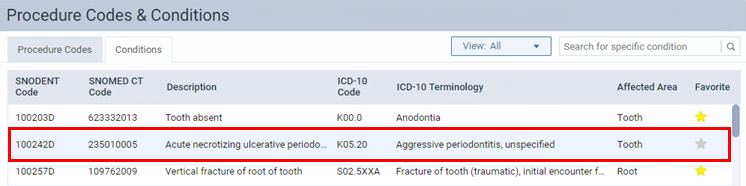
On the Conditions tab of a location's Procedure Codes & Conditions page, locate the condition that you want to make a favorite. Favorite conditions have yellow stars next to them. Non-favorites have gray stars.
-
ClickTap that condition's gray star to make it yellow, indicating that the condition is now a favorite.
Comments
0 comments
Please sign in to leave a comment.