
When necessary, you can delete a provider specialty from the Provider Specialty custom pick list.
Note: You can manage pick lists according to your security rights for Custom Pick Lists.
To delete a provider specialty
How to get there
-
From the Settings menu, under Location, select Custom Pick Lists.
The Custom Pick Lists page opens.
-
Under Available Pick Lists, clicktap Academic and clicktap Provider Specialty.
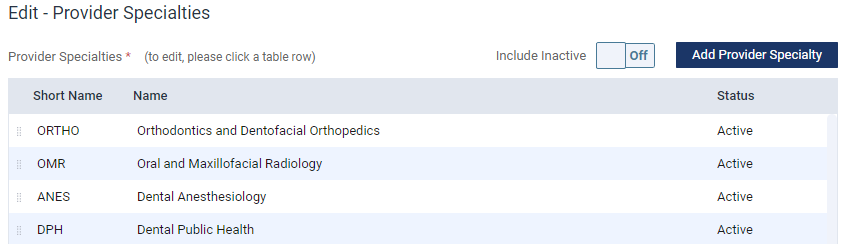
The Edit - Provider Specialties panel opens.
-
Select the listed provider specialty to open the Edit Provider Specialty window.

-
ClickTap Delete.
-
When prompted, clicktap Delete again to confirm your deletion.
Comments
0 comments
Please sign in to leave a comment.